Best Free Tools Every PC Gamer Should Know About

PC gaming gets expensive fast, but the software that makes a setup easier to manage does not have to cost anything.
Some of the best free PC gaming tools solve the small problems that quietly waste time: checking why a game stutters, finding a mod folder, keeping temperatures under control, recording a clean clip, or remembering which launcher owns a game.
The useful ones are not magic “FPS booster” apps. They give you better information, better organization, or better control. If you want a cleaner, more reliable gaming setup, these are the free utilities worth knowing.
Start With Tools That Show What Your PC Is Actually Doing
When a game runs badly, guessing is usually the slowest way to fix it. Before lowering every graphics setting or reinstalling a driver, you want to know whether the problem is temperature, clock speed, GPU load, CPU load, memory pressure, or uneven frame delivery. That is where monitoring and analysis tools earn their place right now.
|
Tool |
Best use |
Why it helps |
| HWiNFO | Hardware monitoring | Tracks temperatures, clocks, power, and sensors |
| MSI Afterburner | In-game monitoring | Shows performance data through an OSD |
| CapFrameX | Frametime analysis | Makes stutter and pacing easier to compare |
| Fan Control | Cooling management | Builds custom fan behavior around supported sensors |
These tools will not magically create performance. They help you understand what is happening before you change anything.
HWiNFO and MSI Afterburner Turn Guesswork Into Useful Data
HWiNFO provides detailed real-time monitoring across CPUs, GPUs, drives, motherboards, and other components. That makes it useful for checking temperatures, clock speeds, power behavior, and sensor logs during troubleshooting. MSI Afterburner is more convenient when you want key metrics visible while playing, because its on-screen display works with RivaTuner Statistics Server. It also includes GPU tuning and custom fan features.
The smartest use is monitoring first, tuning second. If a game is stuttering because the GPU is thermal throttling, the data can point you toward cooling rather than random graphics changes. MSI also warns users to download Afterburner only from MSI or Guru3D because fake installers have been distributed through phishing sites. That is a useful reminder for every gaming utility.
CapFrameX and Fan Control Help With Smoothness, Heat, and Noise
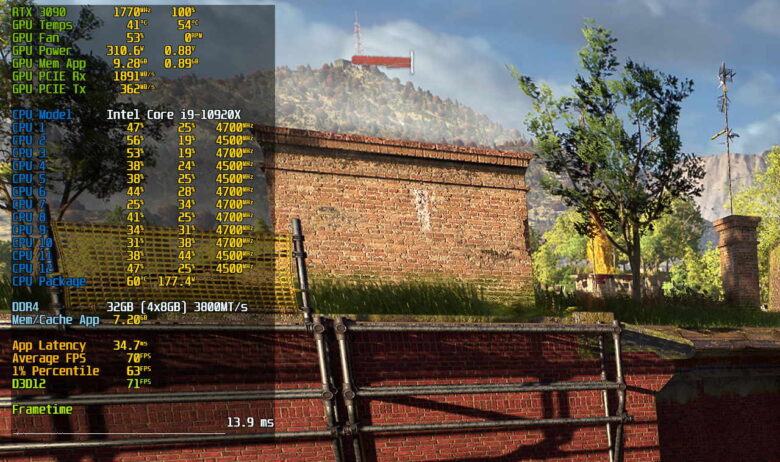
Average FPS can look great while a game still feels rough. CapFrameX focuses on frametime capture and analysis, with graphs, performance metrics, sensor logging, comparisons, and tools for examining stutter. That makes it useful after changing a graphics preset, driver, CPU setting, or GPU configuration because you can compare results instead of relying on memory.
Fan Control tackles a different part of the experience. It lets Windows users create flexible fan curves around supported temperature sensors, with profiles, custom response behavior, and sensor mixing. Hardware compatibility varies, especially on laptops.
A practical setup is simple:
- keep fans quiet at light loads;
- ramp them gradually under gaming load;
- test demanding games before trusting a new curve.
Discord and a Zero GPT Grammar Checker Make the Social Side Easier
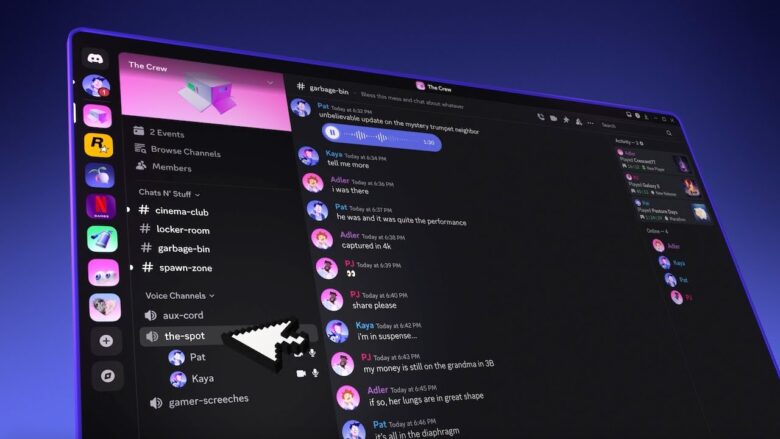
A surprising amount of PC gaming happens outside the game window. Discord remains useful because voice, video, text, and game streaming can all live in the same place, whether you are organizing a ranked session or just talking between matches.
The less obvious companion is Zero GPT’s grammar checker. It will not improve performance, but it can help when you write mod instructions, community announcements, troubleshooting steps, tournament rules, or guild updates. Clear writing matters once other people need to follow what you post.
That is especially true for players who also moderate servers, create guides, run gaming communities, or work with international teammates. You do not need to polish casual chat. Use writing tools where unclear wording could waste ten people’s time.
Playnite Fixes the Too-Many-Launchers Problem
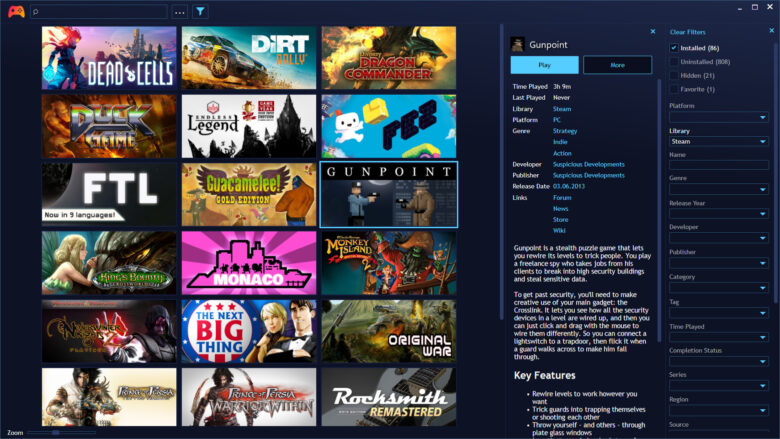
If your library is split across Steam, Epic, GOG, Battle.net, Ubisoft Connect, EA, emulators, and local installs, finding a game can become its own mini-game. Playnite solves that by creating a unified library. It can import games from popular services, handle emulated titles, track playtime, support themes and extensions, and run in a controller-friendly fullscreen mode. The project is open source, and its features are not locked behind a paywall.
Playnite does not eliminate every store launcher. Some services may still need to start when their games run. The advantage is having one clean place to browse what you own.
That sounds minor until your collection grows. Instead of wondering which store has a particular game, you search one library and launch from there. For anyone with years of PC purchases spread across platforms, that is a real quality-of-life upgrade.
OBS Studio Makes Recording Gameplay Far More Flexible
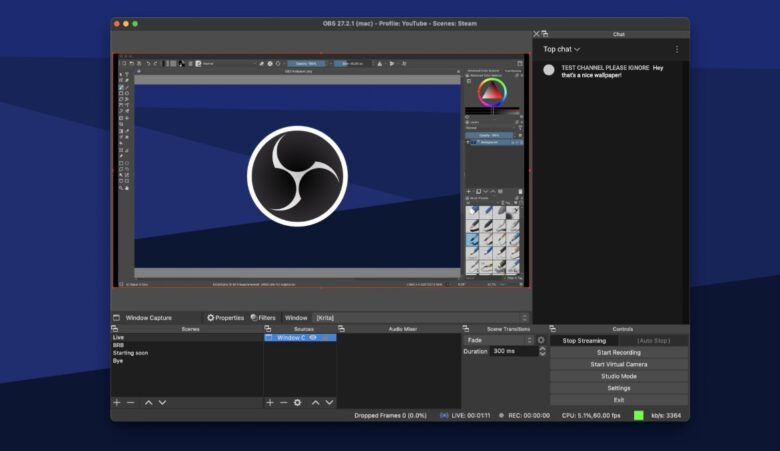
You do not need to be a full-time streamer to benefit from OBS Studio. It is free, open source, and built for video recording and live streaming on Windows, macOS, and Linux. OBS can capture games, windows, displays, webcams, browser sources, capture cards, and multiple audio sources, then combine them into reusable scenes. It also includes per-source audio filters and flexible scene switching.
For gamers, that means one tool can handle a bug recording, benchmark capture, tutorial, boss fight, or livestream. The setup takes more effort than pressing a built-in clip shortcut, but you gain much more control over resolution, audio, scenes, and sources.
Once you create a sensible recording profile, OBS stops feeling like “streamer software” and starts feeling like a general-purpose capture tool that happens to be extremely good for games.
7-Zip and Everything Make Mods and Game Files Less Annoying
Some of the most useful PC gaming software never touches your frame rate. 7-Zip is a free, open-source archiver that can create common formats such as 7z and ZIP and extract many others, including RAR and ISO. That makes it useful for mods, texture packs, save backups, community patches, and older game utilities.
Everything, from Voidtools, solves the next problem: finding files quickly. It is a Windows filename search tool built around fast indexing, quick results, real-time updates, and low resource use.
Together, the two tools cover the unglamorous side of PC gaming remarkably well. One opens the archive you just downloaded. The other finds the config file you edited six months ago.
If you mod games or use several drives, both can save more time than many “gaming optimizer” apps ever will.
